Create your own analytics dashboard with Pocketbase and Metabase
Lately at Kaya (tentatively), we've been onboarding a bunch of service providers into the platform. We also have been getting bookings within the app and it's about time we're able to track our KPIs (especially successful bookings).
Pocketbase's UI has been clear enough for the whole team to navigate but we're not getting the full picture or maybe the little insights from the data itself. In my last company, there was a monitor that shows Metabase in a corner of the office. It was the business intelligence team's day-to-day tool to track their goals from user acquisition to GMV transcations. Given the simplicity of the app, I figured it's a good time to set it up for my team.
Pocketbase uses SQLite which can be connected to Metabase. This is all self-hosted instances so I'll be going through how I set it up in Coolify as well. This guide assumes that you have Coolify running.
Setting up Pocketbase and Metabase
One can deploy a Pocketbase instance in Coolify, but what I did different here was to add Metabase and PostgreSQL in the Docker compose file. The PostgreSQL setup is there for Metabase's application database (storing dashboards, queries, users), not for the actual data being analyzed.
services:
  pocketbase:
    image: 'ghcr.io/coollabsio/pocketbase:latest'
    environment:
      - SERVICE_FQDN_POCKETBASE_8080
    volumes:
      - 'pocketbase-data:/app/pb_data'
      - 'pocketbase-hooks:/app/pb_hooks'
  metabase:
    image: 'metabase/metabase:latest'
    volumes:
      - '/dev/urandom:/dev/random:ro'
      - 'pocketbase-data:/app/pb_data:rw'
    environment:
      - SERVICE_FQDN_METABASE_3000
      - MB_DB_TYPE=postgres
      - MB_DB_HOST=postgresql
      - MB_DB_PORT=5432
      - 'MB_DB_DBNAME=${POSTGRESQL_DATABASE:-metabase}'
      - MB_DB_USER=$SERVICE_USER_POSTGRESQL
      - MB_DB_PASS=$SERVICE_PASSWORD_POSTGRESQL
    healthcheck:
      test: 'curl --fail -I http://127.0.0.1:3000/api/health || exit 1'
      interval: 5s
      timeout: 20s
      retries: 10
    depends_on:
      postgresql:
        condition: service_healthy
  postgresql:
    image: 'postgres:16-alpine'
    volumes:
      - 'metabase-postgresql-data:/var/lib/postgresql/data'
    environment:
      - 'POSTGRES_USER=${SERVICE_USER_POSTGRESQL}'
      - 'POSTGRES_PASSWORD=${SERVICE_PASSWORD_POSTGRESQL}'
      - 'POSTGRES_DB=${POSTGRESQL_DATABASE:-metabase}'
    healthcheck:
      test:
        - CMD-SHELL
        - 'pg_isready -U $${POSTGRES_USER} -d $${POSTGRES_DB}'
      interval: 5s
      timeout: 20s
      retries: 10
What this compose file does is it creates a container for Pocketbase, Metabase, and PostgreSQL. What's worth noting here is that one of Metabase's volume is 'pocketbase-data:/app/pb_data:rw' which allows Metabase to access Pocketbase's SQLite data.
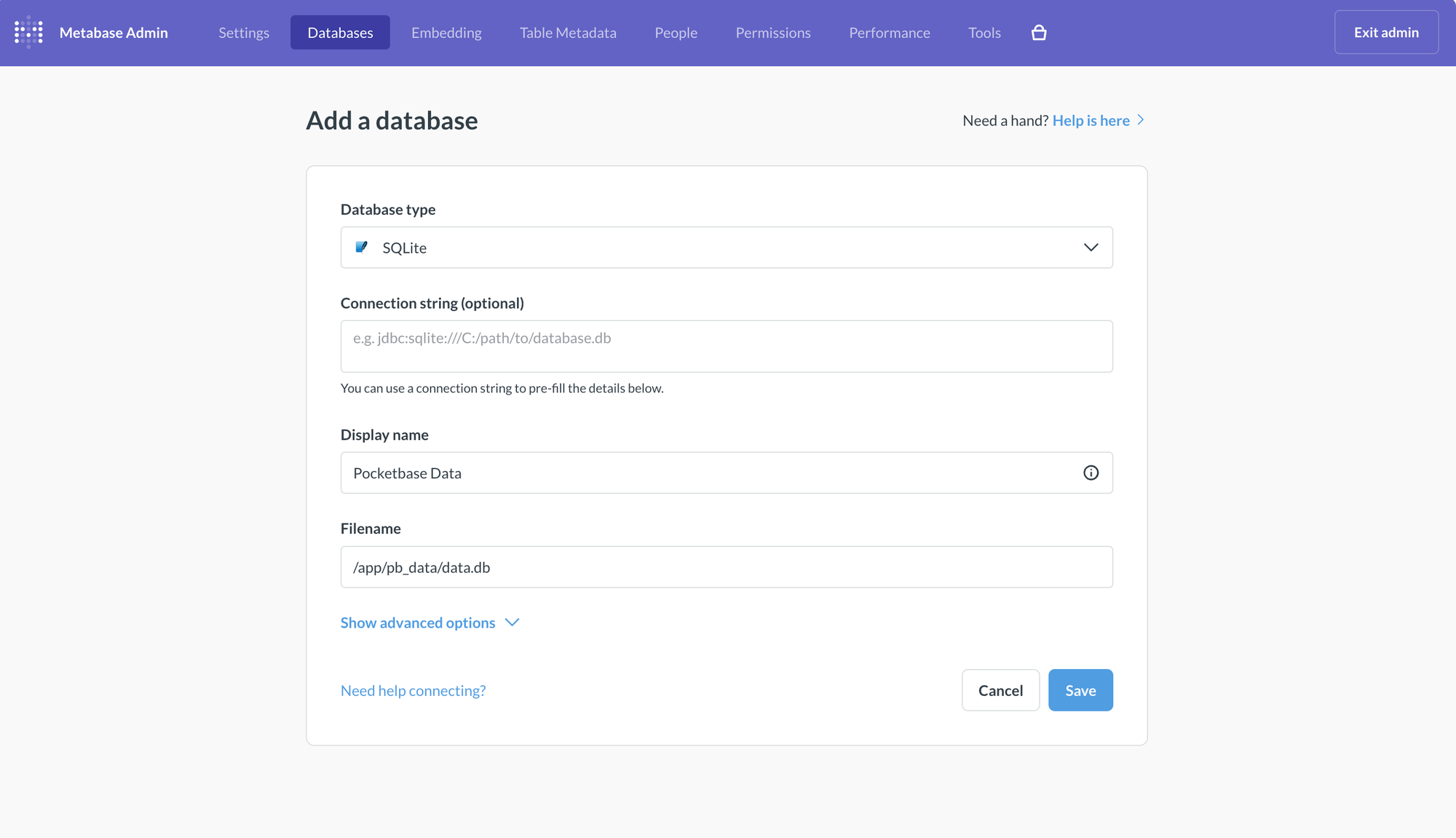
After doing so, go ahead and open up Metabase and continue the setup. Since we're using Pocketbase, place SQLite as the database type and the file name as /app/pb_data/data.db.
Then you're done! You can connect other databases in the same Metabase instance just make sure it's accessible to the container or server instance. The data from Pocketbase to Metabase should also being near-realtime.
Hopefully this guide can show you that it's definitely possible to connect Pocketbase to Metabase for BI activities! If you have any questions, feel free to connect with me.